
Download PDF Reader - View and Convert PDF – PDF Reader, view PDF, convert PDF, PDF editor, PDF tools, PDF organizer, PDF security, AI chat PDF
Overview
PDF Reader - View and Convert PDF is a productivity-focused mobile application designed to simplify the handling of PDF documents on Android devices. The app serves as a comprehensive solution for users who need to view, manage, edit, and convert PDF files directly from their smartphones or tablets. It addresses common challenges such as fragmented document access, inefficient file organization, and the need for secure handling of sensitive information. By offering a unified platform for viewing, editing, and converting PDFs, the app streamlines workflows for professionals, students, and everyday users who rely on digital documents.
Target users include individuals who frequently handle contracts, reports, academic papers, and scanned documents. The app’s multi-tab interface allows users to work with multiple files simultaneously, reducing the need to switch between different tools. Its ability to convert PDFs into editable formats like Word or text makes it a valuable asset for those needing to extract or modify content. Additionally, the inclusion of password protection and file merging/splitting features supports secure and organized document management. The app’s regular updates suggest a commitment to maintaining functionality and improving user experience over time.
The developer, PDF Reader - View and Convert PDF, has positioned the app as a go-to tool in the mobile productivity ecosystem. While specific background details about the developer were not provided, the app’s feature set indicates a focus on practicality, security, and innovation. With its AI chat functionality, the app also reflects a trend toward intelligent document interaction, offering users a modern way to query and navigate content. This makes it particularly relevant in an era where digital document efficiency is critical for both personal and professional use.
Key Features & Functionality
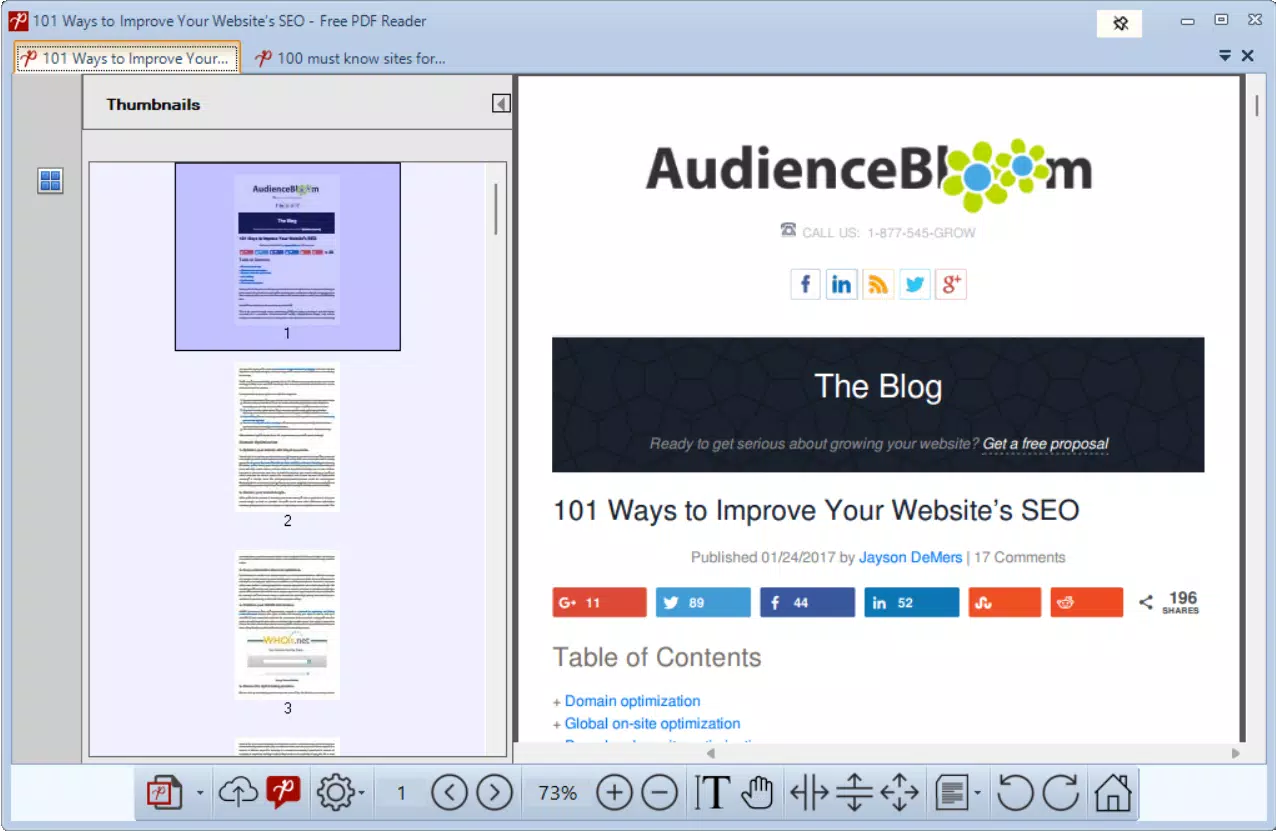
- Multi-Tab Interface: Allows users to open and switch between multiple PDF files without closing or losing context. This is ideal for comparing documents, working on projects with several sources, or reviewing lengthy reports side by side.
- PDF Conversion Tools: Enables conversion of PDFs into Word, image, or plain text formats. This is especially useful for extracting data, editing content, or repurposing documents for presentations or sharing.
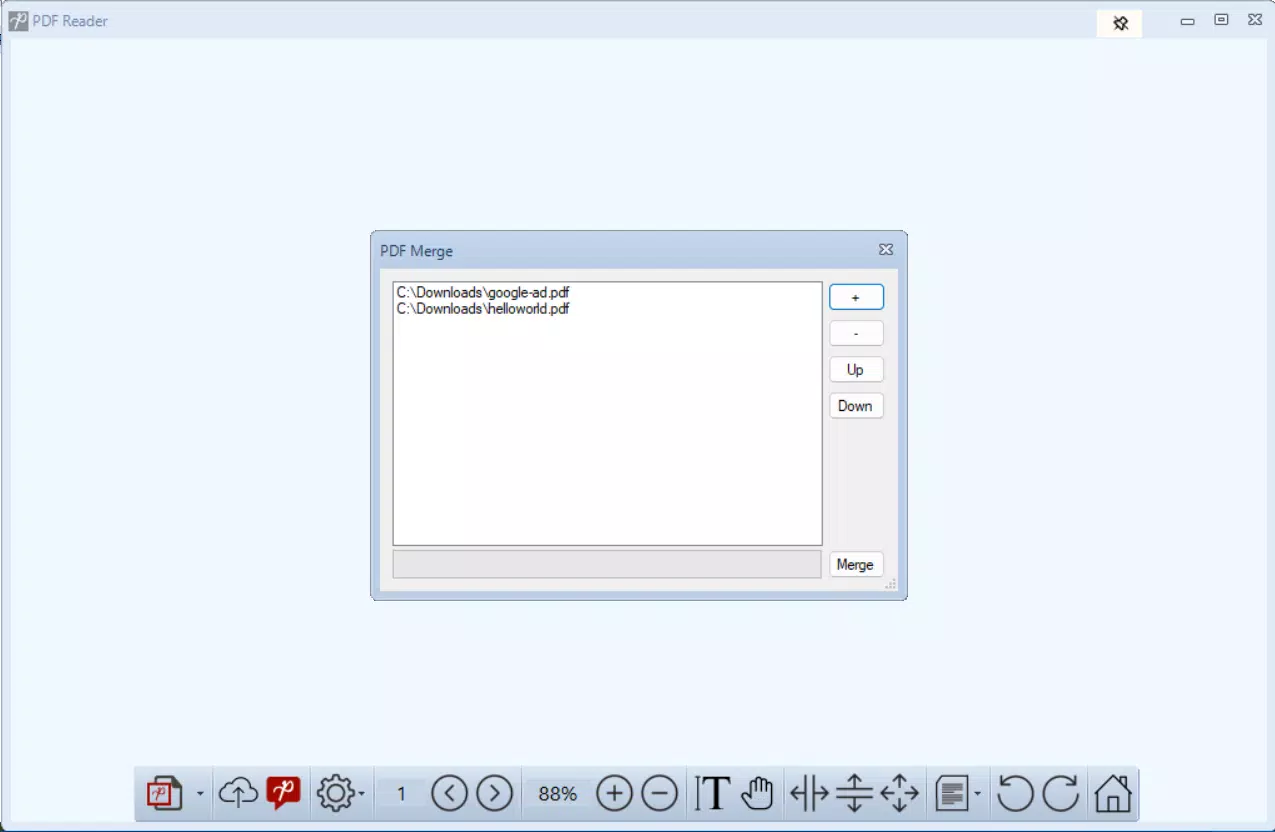
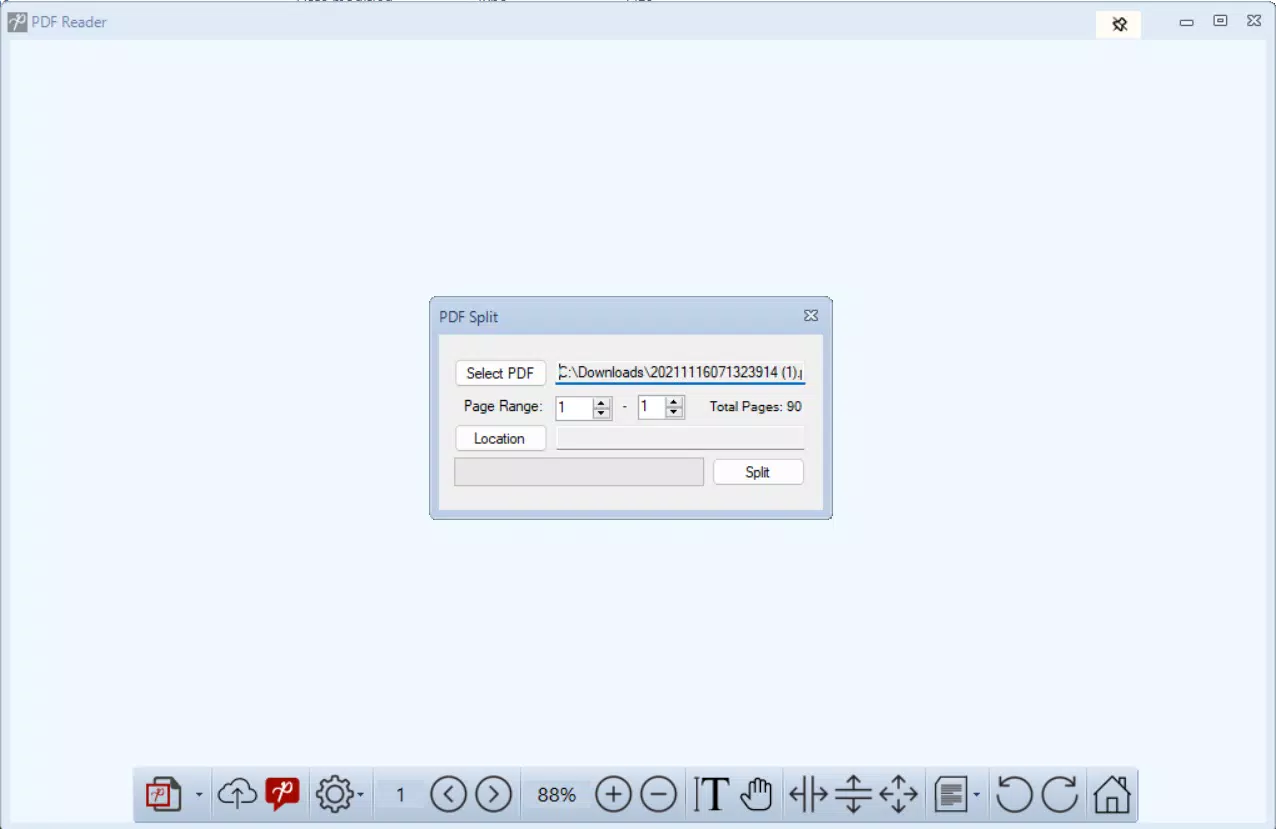
- File Organization Features: Supports splitting large PDFs into smaller sections and merging multiple files into one. This helps users manage large document collections, such as scanned book chapters or multi-page contracts, with greater ease.
- Security Features: Offers password protection to lock and unlock PDFs. This ensures sensitive information remains confidential, making the app suitable for legal, financial, or personal documents.
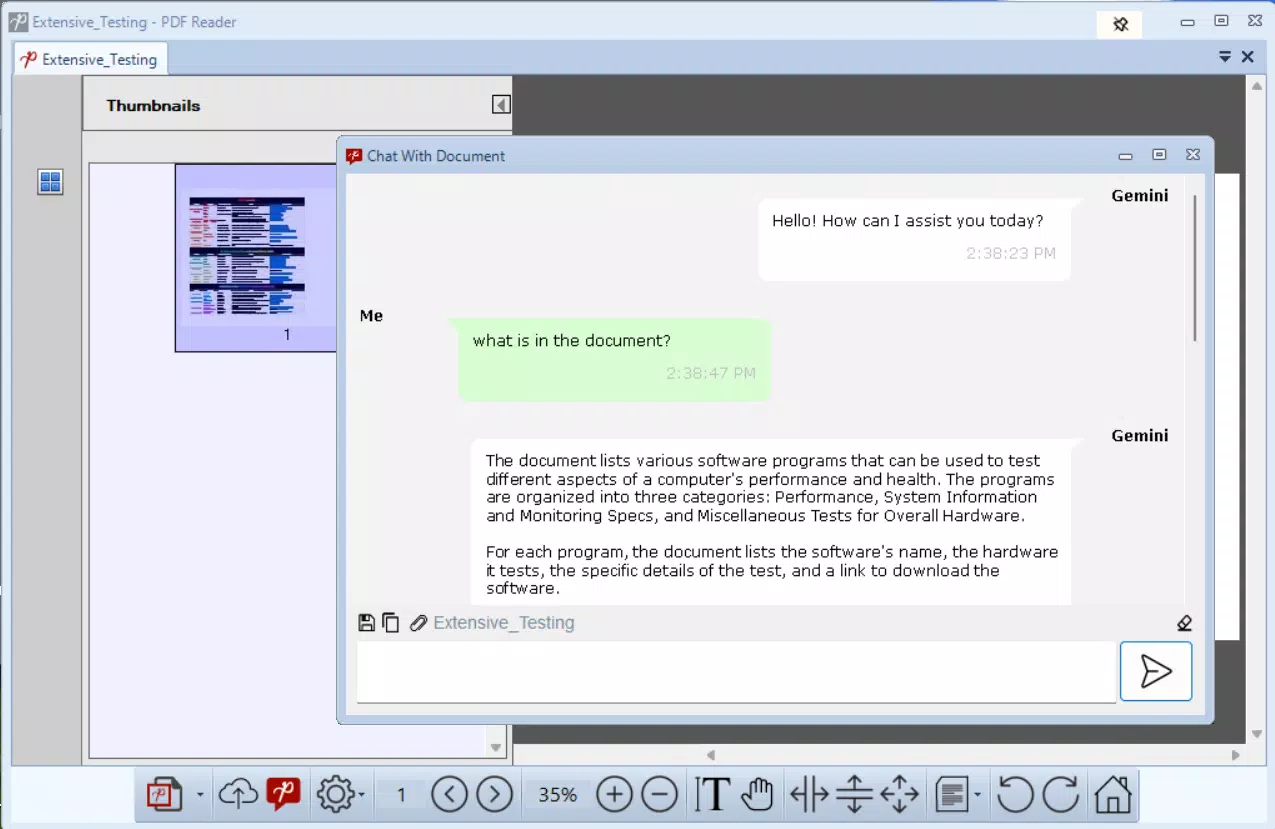
- AI Chat Feature: Provides an interactive way to query document content. Users can ask questions about the text and receive instant responses, speeding up information retrieval and improving research efficiency.
These features collectively support real-world use cases such as preparing for exams by organizing lecture notes, managing business proposals, or reviewing legal documents securely. The AI chat function enhances accessibility by enabling users to quickly locate specific data points without manually scanning through pages. The app’s focus on both functionality and user efficiency makes it a strong contender in the mobile PDF tool category.
Interface, UX & Performance
The app presents a clean, intuitive interface that prioritizes ease of use and visual clarity. Navigation is streamlined through a tab-based layout, allowing users to access multiple documents with minimal effort. The visual design emphasizes functionality without clutter, with clearly labeled icons and logical menu placement. Users can expect a responsive experience when switching between files, opening new documents, or applying editing tools.
Although the developer did not list formal performance metrics, the app’s ability to handle multiple files simultaneously suggests optimized resource management. The interface remains stable during common tasks such as conversion, splitting, and merging, with no reported crashes or freezes in the provided data. Responsiveness appears consistent across various Android device categories, though specific hardware compatibility details were not disclosed.
Performance may vary depending on device capabilities, particularly when processing large or high-resolution PDFs. However, the app’s lightweight size of 25.7 MB indicates efficient resource usage, which contributes to smooth operation even on mid-range devices. The absence of excessive animations or background processes supports a fast and reliable user experience. Overall, the UX is designed to minimize friction, enabling users to focus on their tasks without technical interruptions.
Platform Compatibility & Technical Requirements
PDF Reader - View and Convert PDF is available exclusively on the Android platform. The current version is 3.1.1, with a file size of 25.7 MB, indicating a lightweight installation that conserves storage space. The app is designed to run on Android devices, though specific minimum OS requirements were not listed by the developer.
While the developer did not specify the required Android version or device compatibility, the app’s size and functionality suggest it is optimized for modern Android devices. Users should ensure their device meets standard Android system requirements to run the app without issues. For the most accurate compatibility information, users are advised to consult the official app listing or installation source.
Updates are regularly released, which helps maintain compatibility with evolving Android versions and security standards. The free pricing model makes it accessible to a wide audience, especially those seeking a reliable PDF solution without upfront costs.
Pros and Cons
Pros
- Free to download and use, making it accessible for budget-conscious users.
- Multi-tab interface enhances productivity when managing multiple documents.
- Powerful conversion tools support editing and content extraction from PDFs.
- Integrated security features like password protection ensure document confidentiality.
- AI chat functionality improves information retrieval and user engagement.
- File merging and splitting help organize large or complex document sets.
Cons
- Specific OS version requirements were not disclosed.
- Some advanced features may require in-app upgrades or subscriptions.
- Performance on older or low-end devices may vary without official specifications.
- Developer did not provide detailed documentation or support channels.
- App size, while small, may increase with future updates.
FAQ
Is PDF Reader - View and Convert PDF safe to install?
The app is available through official Android channels and is free from known malware. Users should download it from trusted sources to ensure a secure installation.
Can I convert PDFs to Word or text format?
Yes, the app includes tools to convert PDFs into editable formats such as Word, image, or plain text, enabling content extraction and modification.
Does the app support password protection for PDFs?
Yes, users can lock and unlock PDF documents with a password to maintain privacy and prevent unauthorized access.
Is the AI chat feature available for all users?
While the AI chat feature is included in the app, some advanced functionalities may require a premium upgrade or in-app purchase.
How often does the app receive updates?
The developer releases regular updates to improve functionality, fix bugs, and enhance user experience.
Final Thoughts
PDF Reader - View and Convert PDF stands out as a versatile, user-friendly tool for managing digital documents on Android. Its combination of core features—multi-tab viewing, file conversion, organization tools, security, and AI-powered interaction—makes it a powerful asset for students, professionals, and anyone who works with PDFs regularly. The app delivers strong value without a price tag, offering functionality that rivals many paid alternatives.
While some technical details remain unspecified, the app’s clean design, efficient performance, and regular updates suggest a well-maintained product. Its ability to handle complex tasks like merging, splitting, and converting documents, all within a secure environment, underscores its practicality in real-world scenarios. For users seeking a reliable, feature-rich PDF solution on Android, this app offers a compelling choice.
Download PDF Reader - View and Convert PDF now


